
Is an Internal Dashboard Worth Building? Signs Your Team Has Outgrown Spreadsheets
Learn when an internal dashboard can reduce manual reporting and improve workflow visibility, and when a dashboard is not the right solution.
 Sun Cluster Inc.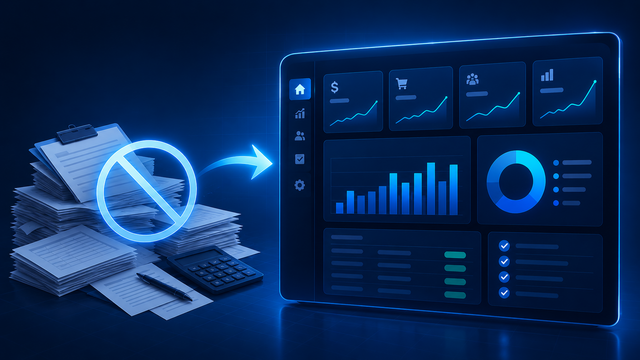
Internal dashboard development is often justified by time savings, fewer errors, and better visibility across a workflow. The value is practical: less manual chasing, less copy-paste, and faster decisions.
Dashboards replace status hunting
Without a shared view, staff end up checking email, spreadsheets, and several tools to understand what is happening. A dashboard consolidates the workflow and removes repeated status questions.
The best dashboards reflect the operation
A dashboard should show what the team actually needs to act on: overdue items, approvals, missing information, bookings, or blocked requests.
That is more useful than generic reporting that looks polished but does not change the work.
Where small businesses usually see value first
Most teams start seeing value when the dashboard reduces repeated reporting work and makes it obvious where attention is needed.
- Manual weekly reports become automatic views
- Managers can see queues and bottlenecks quickly
- Staff spend less time copying data between tools
- Follow-up and approvals become easier to track
When a dashboard is not the answer
A dashboard cannot correct undefined ownership, unreliable source data, or a workflow with no decision to support. Resolve those foundations before building a new reporting surface.
Scope the first useful view
Start with one decision, its users, source systems, exceptions, and drill-down needs. A focused view is easier to adopt than a large report with no clear action.
Measure a dashboard by the decisions it improves
Before building a dashboard, name the recurring decision it should support: which requests need attention, where a delivery is blocked, or which customer record needs follow-up. A useful view shortens the route from a question to an appropriate action; it is not simply a collection of charts.
Ask a future user to trace one decision from a summary number to its underlying record. If they cannot see the owner, status, and next action, the data may be informative without being operationally useful.
- User and decision for each view
- Source record behind a summary
- Exception states that need attention
- Owner for inaccurate data
Common questions
Should a dashboard replace the systems where work happens?
Usually no. It can provide a shared operational view while other systems continue to own their records. The right boundary depends on whether users also need to update or approve work.
Do dashboards require real-time data?
Only when the decision requires it. A reliable scheduled refresh is often more suitable for operational reporting.
Discuss your software project
Have a defined workflow, integration, or delivery question? Tell us about the technical constraints and the outcome your team needs to support.
Contact Sun Cluster