
How to Plan an Internal Dashboard That Supports Real Decisions
Plan an internal dashboard around decisions, source systems, permissions, sync timing, drill-downs, alerts, and data ownership.
 Sun Cluster Inc.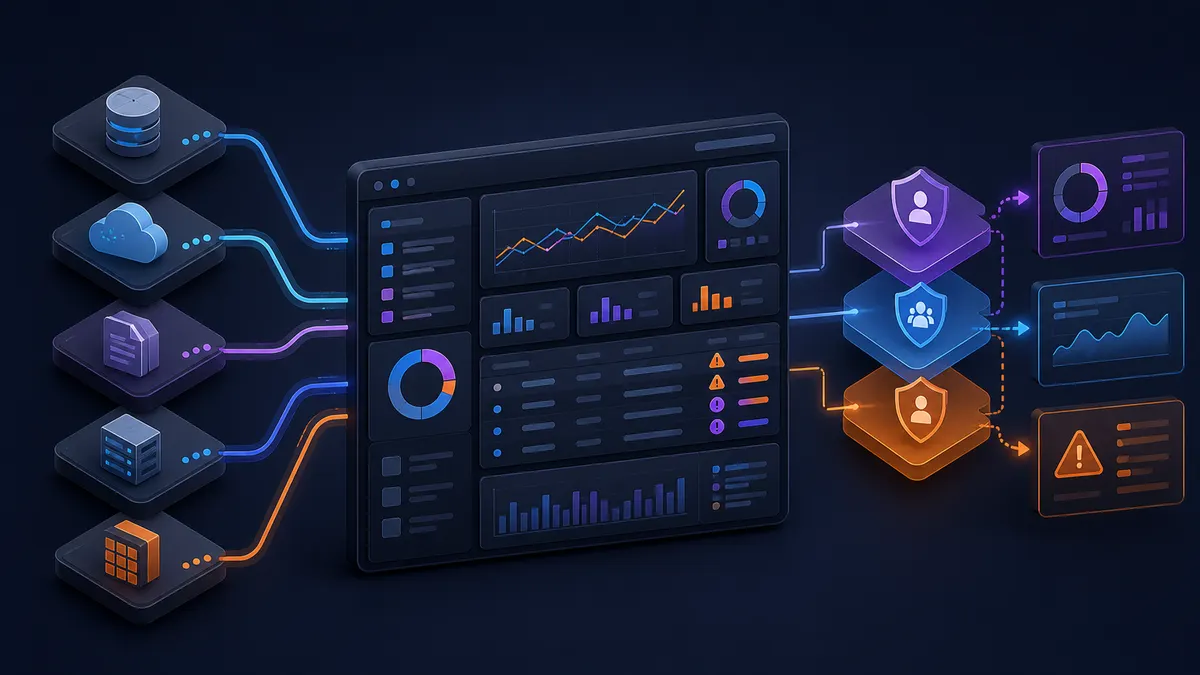
A dashboard should reduce uncertainty in a real operating workflow. Planning it around decisions, source data, and actions produces a more useful result than starting with a visual report layout.
Start with decisions and actions
For each dashboard view, name the user, decision, and next action. A queue that exposes overdue requests is useful when someone can act on it; a decorative metric without an owner is not.
Map systems of record
List every source system, the owner of the data, update frequency, and quality issues. Avoid silently treating a copied spreadsheet as the authoritative source when the underlying system should be used.
Choose sync timing deliberately
Real-time updates are not always necessary. Set a refresh pattern based on the operational decision, the source API limits, and how the team will respond to late or missing data.
Define views and permissions
Different roles often need different summaries, filters, or actions. Plan permissions, sensitive fields, and audit expectations before the interface makes them hard to change.
Design drill-downs and exceptions
Summary numbers need a path to the underlying record. Highlight exceptions and unresolved items, then make it clear whether the dashboard is informational or can trigger an approved workflow action.
Plan rollout and ownership
Agree who owns definitions, data corrections, access requests, and future report changes. A dashboard lasts longer when the business knows how it will be governed after launch.
Write a dashboard brief around a real decision
For each proposed dashboard view, write one sentence that names the user, the decision, and the action. For example, a queue can help an operations lead assign overdue requests; a summary can help a manager identify records needing review. This prevents decorative reporting from becoming the scope.
Then identify the record behind each number, its update timing, and the person who can correct it. These decisions make data-quality and permission conversations possible before interface work makes them expensive to change.
- User, decision, and next action
- Source system and data owner
- Refresh expectation
- Drill-down and exception path
Common questions
What should be designed first: charts or data flow?
Start with decisions, source records, and data ownership. The interface can then make the right information actionable instead of displaying metrics that are difficult to trust.
Can a dashboard include actions as well as reporting?
Yes, where the relevant permissions, business rules, and audit needs are defined. Informational and action-taking views should be clearly separated.
Discuss your software project
Have a defined workflow, integration, or delivery question? Tell us about the technical constraints and the outcome your team needs to support.
Contact Sun Cluster