
Workflow automation
AI Message Triage Workflow
A unified message-triage application for classifying incoming requests, assigning follow-up work, reviewing routing rules, and keeping a visible queue for staff.
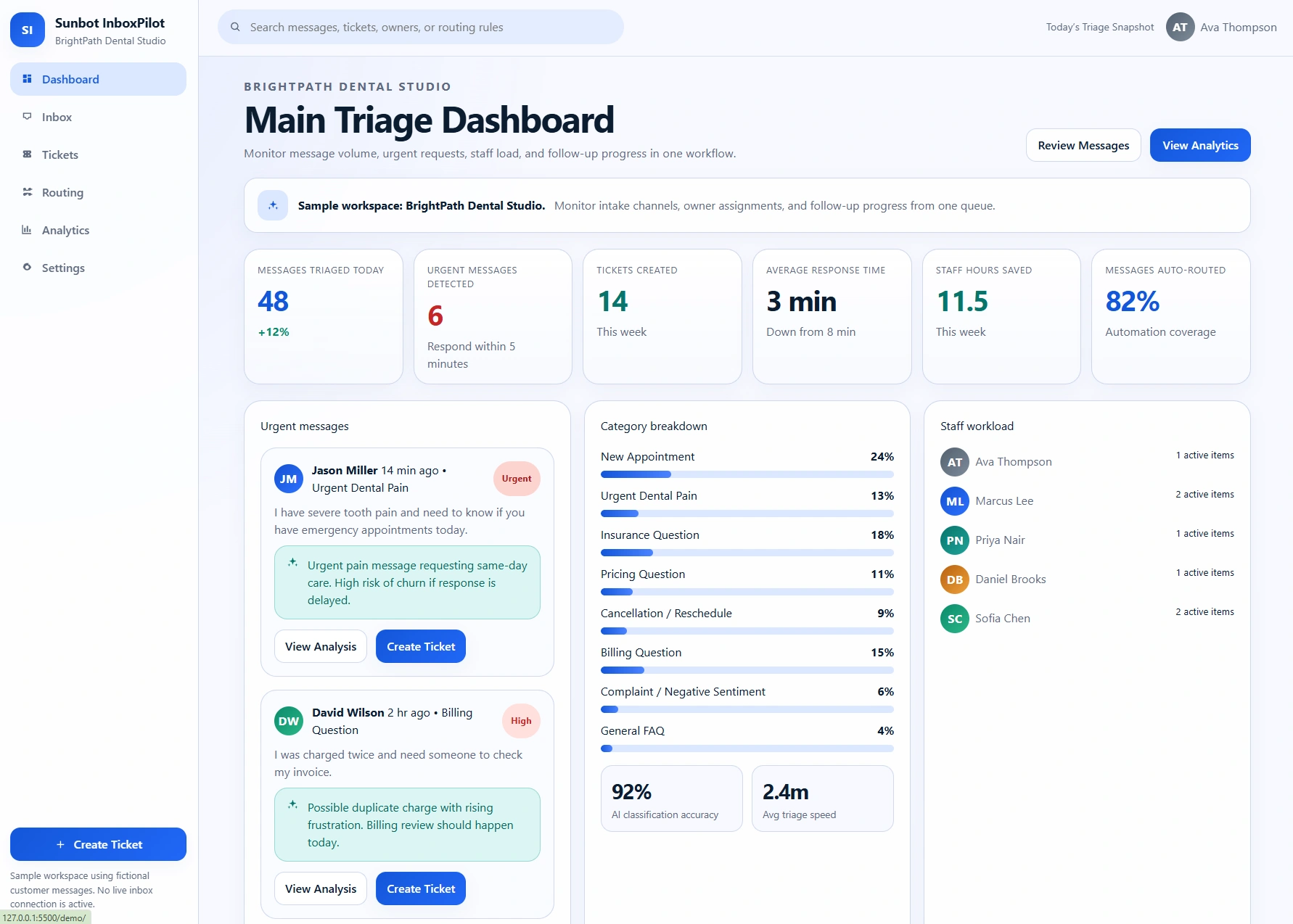
Key product capabilities
- Inbox views for category, urgency, and status
- Ticket creation and ownership workflow
- Routing-rule and analytics screens
Built around the workflow
How the workflow is designed
The message workflow groups inbox review, classification, ownership, ticket creation, and resolution states so staff can see the next action rather than work from disconnected messages.
Dedicated routing and analytics views make categories, escalation paths, workload, and exception handling easier for staff to review.
Workflow at a glance
From request to next action
- 01A message enters the shared queue
- 02The request is classified by category and urgency
- 03A ticket or follow-up task is assigned to an owner
- 04Staff resolve the request and review routing activity