
Web applications
Online Booking Workflow
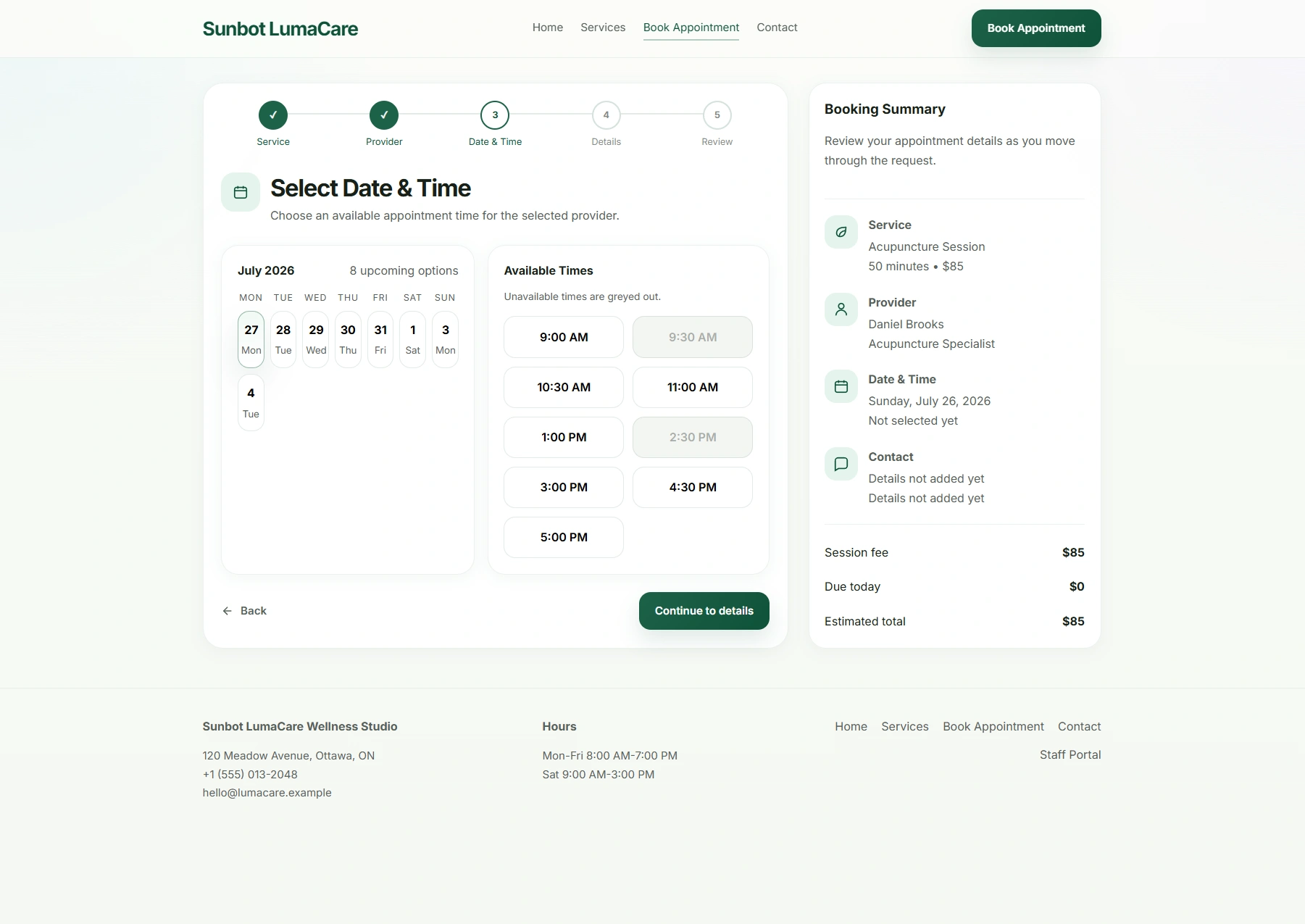
An appointment-booking application that takes visitors through service, provider, date, time, and contact selections before a review and confirmation step.
Key product capabilities
- Multi-step booking journey
- Responsive public service and booking pages
- Staff appointment dashboard and status views
Built around the workflow
How the workflow is designed
The booking path breaks a complex appointment request into clear steps: choose a service, select a provider, find a suitable time, provide contact details, and review the request before confirmation.
A complementary staff dashboard manages appointment records and status views alongside the public booking experience.
Workflow at a glance
From request to next action
- 01A visitor selects a service and provider
- 02Available dates and times guide the booking request
- 03The visitor confirms contact details and reviews the request
- 04Staff manage appointment records and status from the dashboard