
Workflow automation
Workflow & Task Automation Dashboard
An operations dashboard for bringing tasks, approvals, reminders, workflow rules, activity, and reporting into a clear shared workspace.
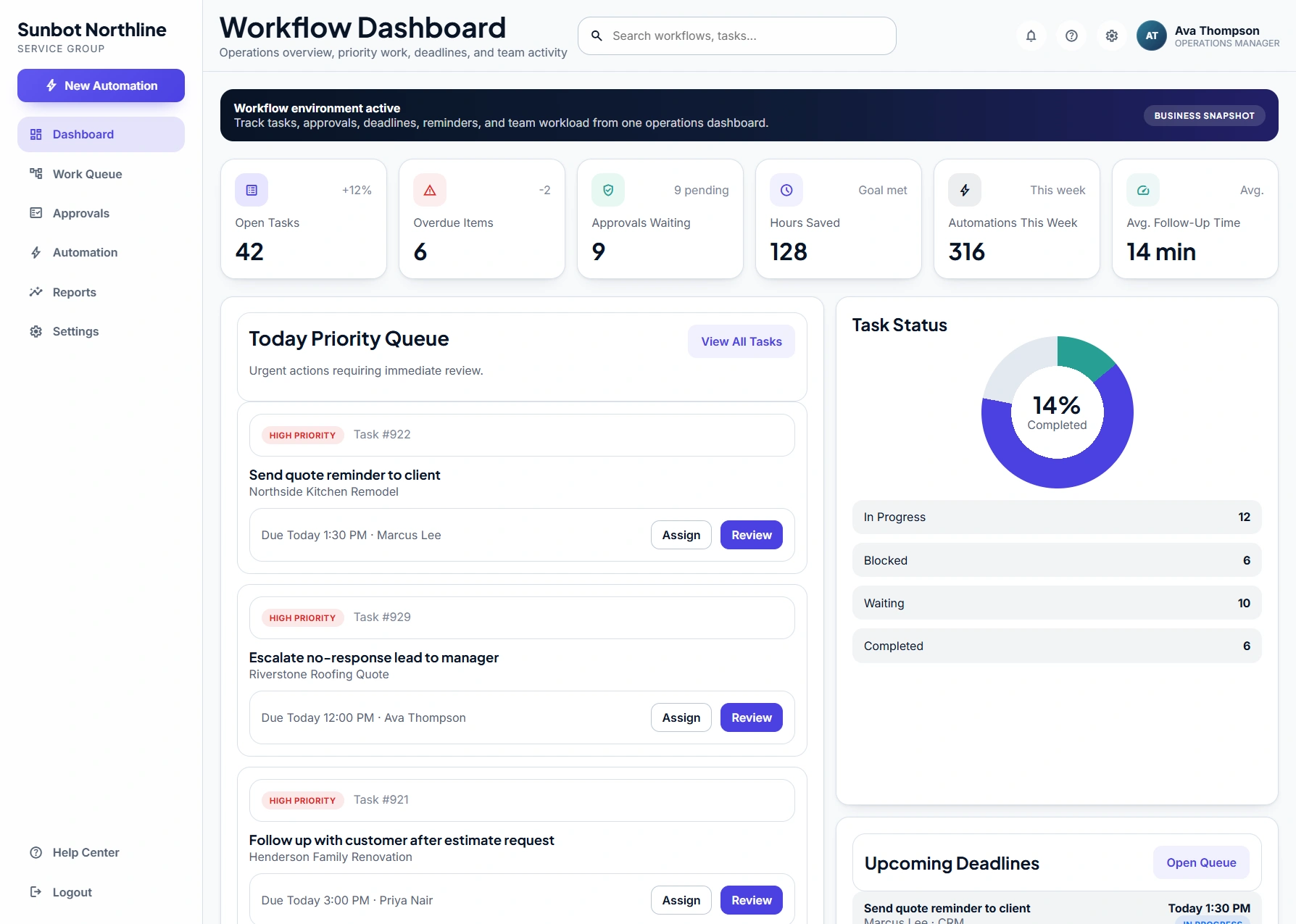
Key product capabilities
- Task pipeline and approval queues
- Automation-rule and activity views
- Reports and workflow-settings screens
Built around the workflow
How the workflow is designed
The main dashboard turns work queues, priorities, deadlines, and recent automation activity into a shared operational view. Teams can move from a task list into the detail, approval, or workflow context behind it.
Task, approval, automation, report, and settings views bring structure to work that would otherwise be spread across messages, spreadsheets, and disconnected systems.
Workflow at a glance
From request to next action
- 01Work enters a shared task or approval queue
- 02Owners review priorities, due dates, and workflow context
- 03Approvals and exceptions move through defined status changes
- 04Activity and reporting views make work visible across the team