
E-commerce Integration Checklist: Orders, Inventory, Payments and Fulfilment
A practical checklist for e-commerce integrations: order lifecycle, product data, payments, inventory, fulfilment, CRM/accounting updates, and reconciliation.
 Sun Cluster Inc.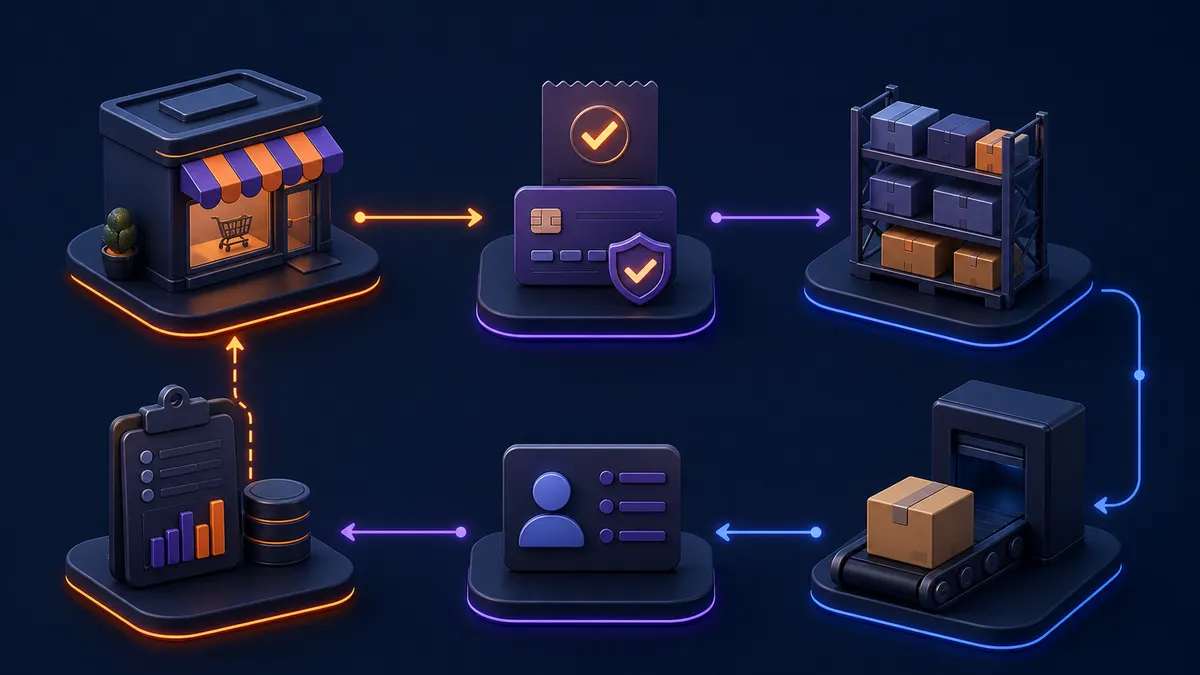
Reliable e-commerce operations depend on an accurate handoff between storefront, payment, inventory, fulfilment, customer service, and internal systems. This checklist helps define the full workflow.
Map the order lifecycle
Record the states from checkout through authorization, payment, confirmation, fulfilment, shipment, cancellation, return, and refund. Name which system owns each state and how it is communicated.
Define product and catalogue data
Identify the source of truth for products, variants, availability, prices, descriptions, and images. Decide how conflicts and rejected updates are reviewed.
Clarify payment and refund events
Confirm which events the integration receives, which actions are permitted, and how customer-service staff can see an accurate payment state without relying on delayed assumptions.
Plan inventory and fulfilment updates
Set expected sync direction, frequency, allocation rules, shipment updates, and fallbacks when a warehouse or inventory provider is unavailable.
Connect customer and finance records carefully
Map which data should reach CRM or accounting systems, who can correct errors, and whether tax or reconciliation processes need review by the appropriate business owner.
Build failure handling and reconciliation
A missed webhook or timeout should be visible and recoverable. Use traceable event records, duplicate prevention, retry rules, alerts, and a regular comparison of source and destination records.
Plan reconciliation as an operating task
Every integration needs a way to answer whether an order, payment, stock change, or shipment exists consistently in the source and destination systems. Set a review schedule, decide who sees exceptions, and make it possible to identify the original event rather than correcting records blindly.
This matters most after timeouts, delayed events, and manual changes. A clear reconciliation process helps staff resolve an exception without assuming that an automated update either succeeded or failed silently.
- Original event identifier
- Source and destination state
- Exception queue or report
- Named correction and review owner
Common questions
Can a webhook alone keep order records accurate?
A webhook is useful for timely events, but it can be delayed or missed. A reliable workflow also needs duplicate prevention, records, and a recovery or reconciliation path.
Which system should own customer and order data?
That depends on the business process. The integration should explicitly identify the source of truth for each record and how corrections are propagated.
Discuss your software project
Have a defined workflow, integration, or delivery question? Tell us about the technical constraints and the outcome your team needs to support.
Contact Sun Cluster